
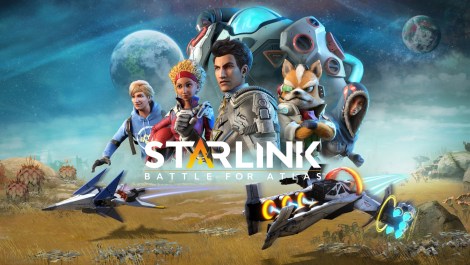
Working with “FOV” as an option in video games was an intriguing experience. However, it’s crucial to understand its potential to drastically alter the “intended” gameplay experience if not implemented correctly.
In this discussion, I’ll walk through how we implemented this option in Starlink, while highlighting the challenges and potential pitfalls we encountered along the way.
Why are different FOVs made accessible to players in video games?
“Field of View” as an option exists in video games to avoid motion sickness caused by screen distortions, applicable depending on the player viewing distance to the monitor.

If the field of view of your game is significantly different to what the eye/brain expects to see, it can result in motion sickness. This can be extreme, resulting in nausea and disorientation strong enough that play duration in excess of a few minutes can become impossible.
Contrary to popular belief, the option is not intended to be used by all players, but only a minority who are prone to motion sickness. As the end result might leave the players feeling:
- Fish-eye viewed, dictated mainly in high field of view visions.
- Or a claustrophobic feeling, applicable in low field of view visions.
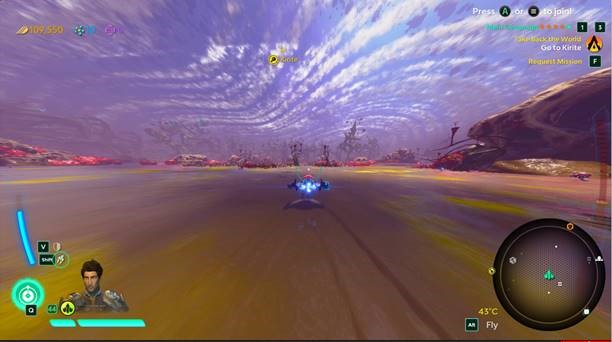
PC games by standard operate around ~90° camera FOV, compared to the ~60° in consoles.
These issues mainly occur because we as developers don’t exactly know the seating positions of our players towards their monitors.
And although it’s better to follow industry estimates, I think it’s also very important that we provide the option to let the players decide the best visual experience for themselves.
How did we adapt the FOV option?
Starlink features dynamic FOV values while switching between different player states (movement / action). For example:
- By default while on ground, we have a base of 60° FOV, but it shifts to a max. of ~100° FOV depending on camera modifiers triggered (like Boosting).
- And while in Flight mode, we have a base of 80° FOV, and it shifts to a max. of ~110° FOV depending on modifiers triggered.
In such cases mentioned, values higher than ~110° might become unplayable to most of the general audience (due to fish-eye motion sickness kicking-in).
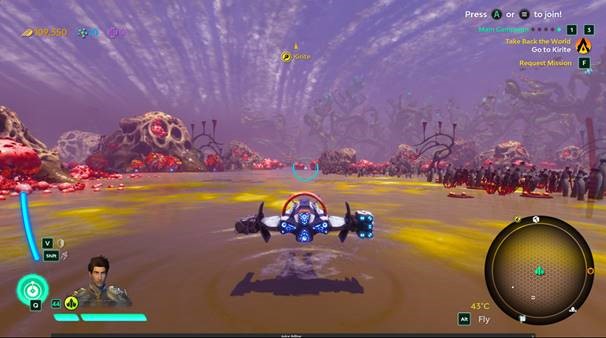
By keeping all of the points mentioned in mind, we balanced the values in-terms of an adjustable FOV option for PC (by a preset range method).
FOV options in different video games are usually showcased by their direct ° angle values (by sliders), but in our case since we can’t exactly provide an accurate number (as we have dynamic FOV camera states), we chose to display the option through contextual words:
- Normal (Default Console)
- High (+10 FOV)
- Maximum (+20 FOV)
But how did we choose the values?
In most cases, the FOV option is influenced by the player’s proximity to the monitor, causing the FOV to be adjusted accordingly.
When dealing with an FOV options it’s important to note – issues like claustrophobia are less of a concern, while the risk of a fish-eye effect are more prominent.
- There is no need to provide highly decreased FOV values, and therefore we chose the console default value of 60° as the lowest.
- We adjusted the max. FOV values to always have them be capped to a max. of 120° FOV (this is applicable for all camera states, even on max. FOV setting, to avoid a breach in motion sickness).
By this process in some camera states, we can only get a max. of 20° camera FOV value increment due to the fish-eye nature kicking-in thereafter (because anything more than that would breach the 120° value).
CONSOLE DEFAULT:
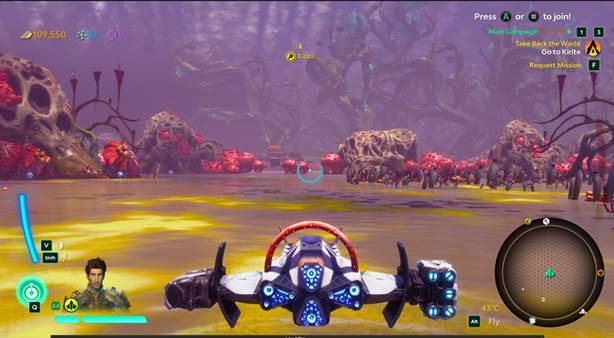
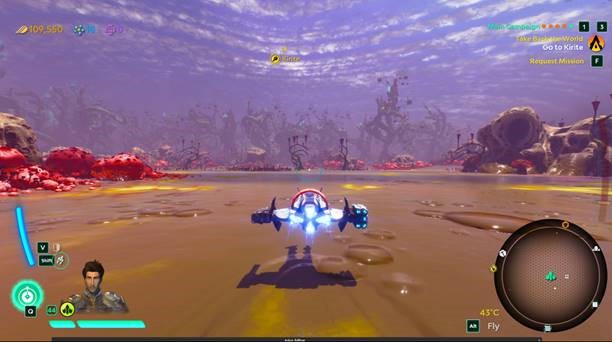
FOV MAX. VALUES:
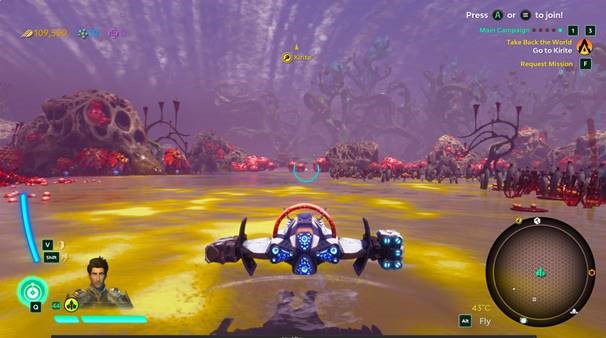
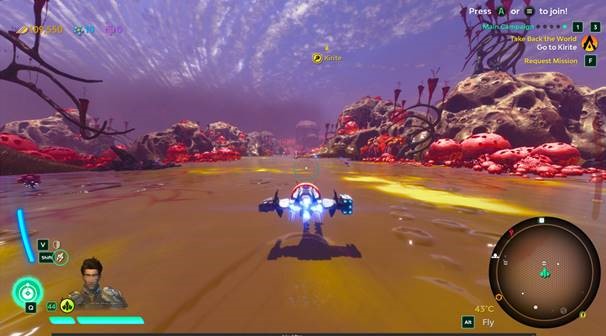
Consequences of FOV implementation
Without the option, Starlink’s dynamic FOV camera states might have caused unintended accessibility concerns / camera experiences.
And with the option, in some cases, we felt the end result might compromise how different levels of speeds “feel” as intended.
- Because we have to cap the max. FOV possible (to stop 120° value breach) to avoid motion sickness.
One could also argue about the approach we took to achieve the final results, but we proceeded with the implementation nonetheless, as we believed the benefits outweighed the potential pitfalls we might encounter.
As long as our options were providing avenues to avoid fish-eye / claustrophobia, we achieve our goals.
I think we achieved a rather desirable end result, while maintaining freedom to enable accessibility for more players to enjoy the experience, while retaining the camera intentions already existing in-game.
This approach should encourage more developers to provide with such options no matter how they plan to use FOV for gameplay effect.
I believe It’s really important we let the players choose an FOV value to their personal convenience for accessibility concerns.
Random Info
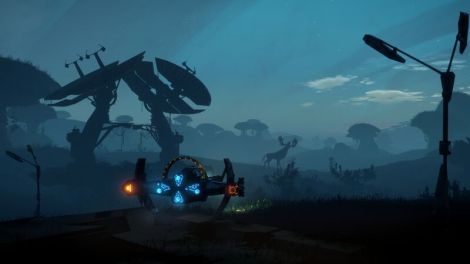
I believe it’s really important for video game designers to understand how human eye works in correlation to building good gameplay experiences.
For example:
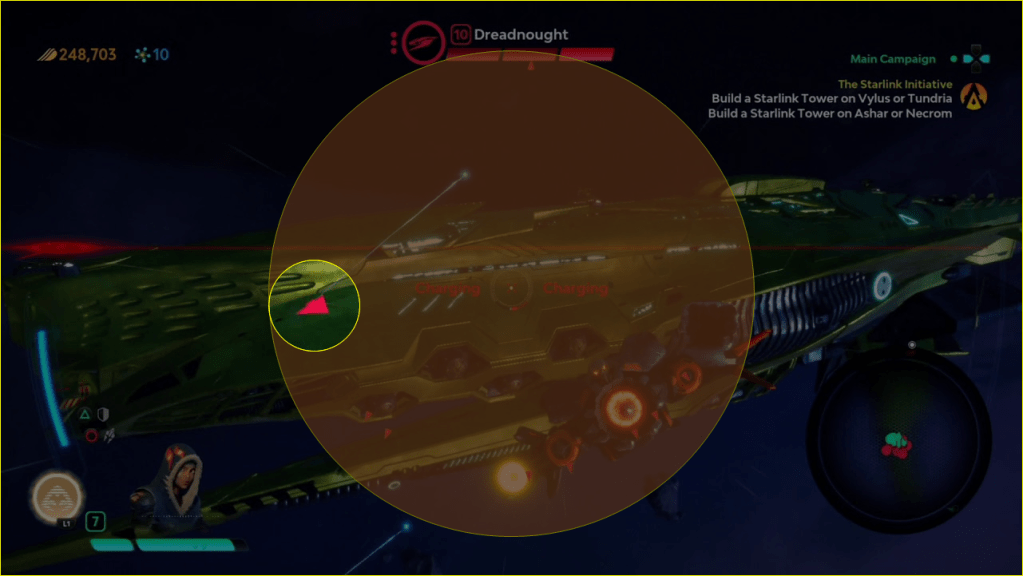
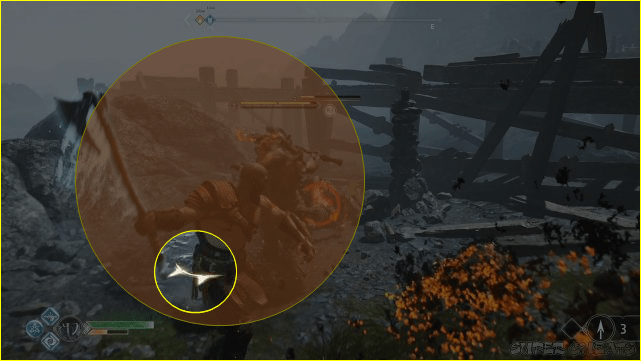
Starlink understanding the importance of focal vision puts threat markers inside it (as GOW below), but sub-objective markers are placed in peripheral view (corners of the screen), as the game understands the passive nature of the element in comparison to active combat threats.
 SnoukDesignNotes